Scene
How I made the AI car scene, and how to write a hook nobody skips
The full method I promised: the real prompts behind the car and wall scene step by step, the hook patterns that keep people watching, and the sounds that give the scene its punch.
Part 1
The car scene: 3 steps and a bonus
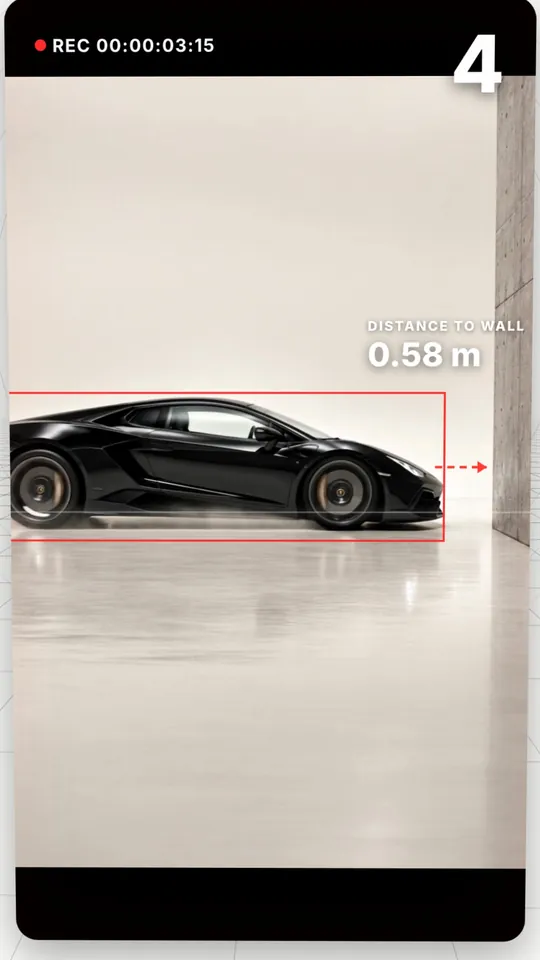
The whole scene is AI: the car, the wall, the studio. The trick is not asking for a video from scratch. You make the first and last frames as images, then let the video tool fill in between.
Any image and video generator that supports a start frame and an end frame works.
01
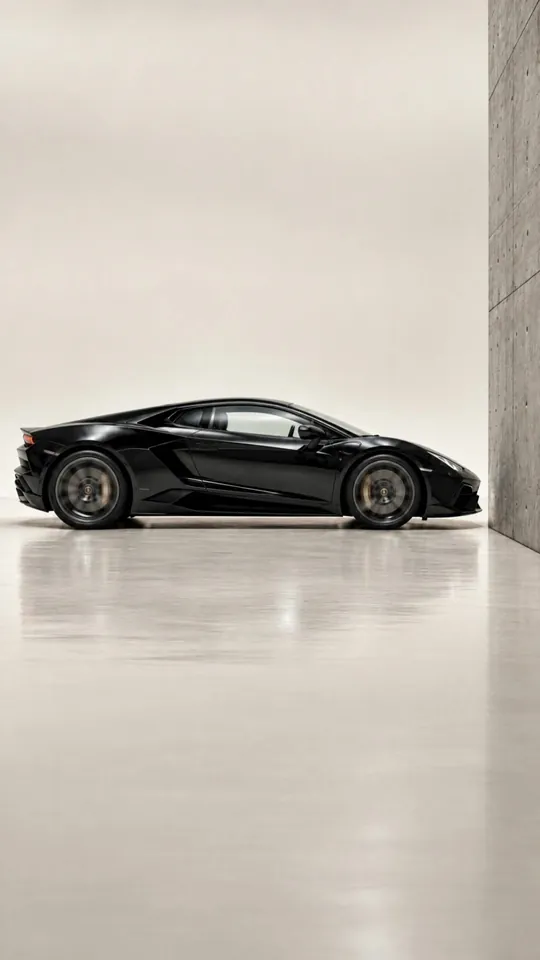
Image 1: the car in front of the wall
This is the last frame of the video. The car stops centimetres from the wall and never touches it.
Copy promptUltra photorealistic cinematic photograph, vertical 9:16. Perfect side profile of a glossy black modern supercar (generic design, no logos, no badges, no emblem, no license plate) moving left to right inside a seamless warm off-white infinity cove photo studio. A raw grey poured-concrete block wall stands on the right side of the frame; the car's front bumper is about 30 cm from the wall, clearly NOT touching it, moments before impact. Car and wall sit in the middle band of the frame, lots of clean empty off-white space above and a clean empty floor in the lower third. Large soft overhead softbox lighting, subtle reflections on a satin floor, soft contact shadows under the tyres, slight motion blur on the spinning wheels only, everything else razor sharp. Shot on ARRI Alexa 65, 50mm, f/8, high-end automotive commercial, true-to-life colors. No text, no people, no watermark.
02
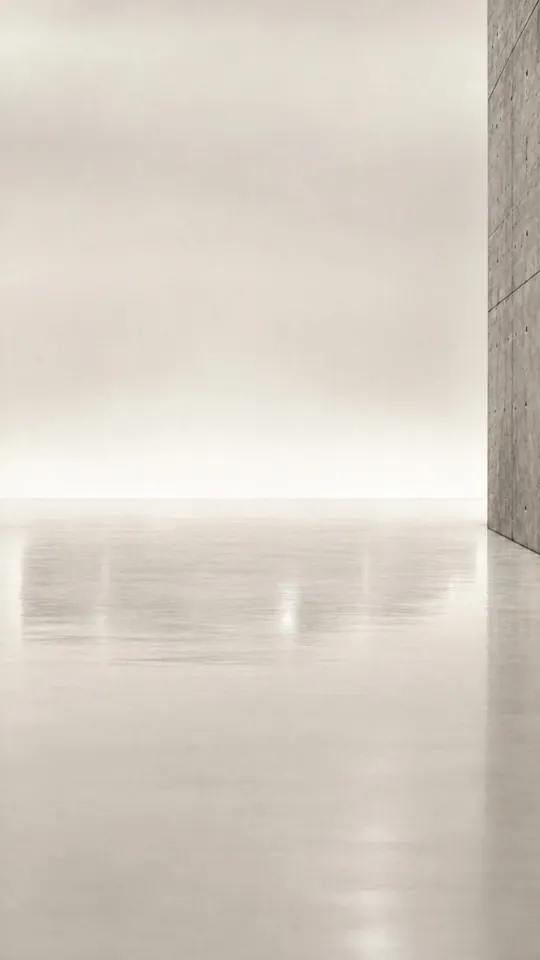
Image 2: the same place without the car
Upload image 1 as the reference and ask for the exact same shot, empty. This is the first frame of the video.
Copy promptRecreate the reference photo exactly: identical camera position, framing, lens, off-white infinity cove studio, lighting, satin floor, and the same raw grey concrete block wall in the exact same place on the right. The only change: there is no car at all, the studio is empty, just the wall and the clean floor. No text, no people, no watermark.
03
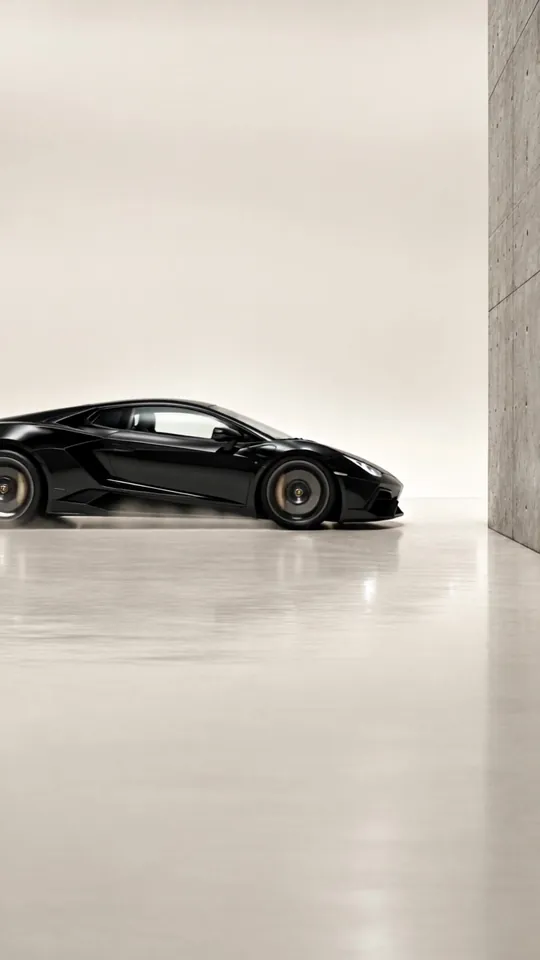
The video: from the empty frame to the car frame
Set the empty image as the start frame and the car image as the end frame. The tool fills in between: the car drives in and stops at the wall.
Copy promptExtreme slow motion shot on a 1000 fps high-speed camera. Locked-off static camera, no camera movement, no zoom. The black supercar glides very slowly and smoothly from left to right toward the concrete wall at a constant speed, wheels rotating slowly, subtle reflections sliding across the glossy paint, tiny dust particles on the floor lifting in slow motion. The tension builds; the car ends with its front bumper a few centimetres from the wall and never touches it. No crash, no impact, no debris. Photorealistic, clean high-end automotive commercial, consistent lighting, no text.
04
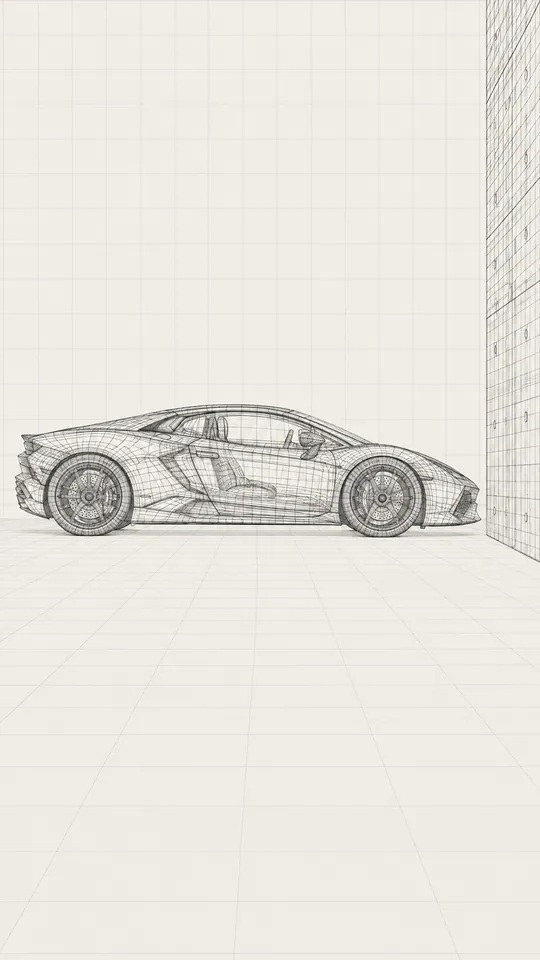
Bonus: the same scene as a wireframe
This is what you see when I say “the car does not exist”. Image 1 again, as a 3D wireframe.
Copy promptRecreate this exact image with the identical composition, camera angle, car shape, car position and wall position, pixel-aligned, but render everything as a clean 3D CAD wireframe: the car and the concrete wall become thin dark graphite polygon mesh lines (visible quad topology, wheels, brakes and interior structure visible through the mesh), no paint, no textures, no reflections. The floor becomes a faint perspective grid. Background flat warm off-white with a faint thin square grid. Looks like the untextured 3D scene file behind a CGI shot. No text, no labels, no watermark.
What makes the difference
- Write “Locked-off static camera” so the camera never moves; it reads like a real shoot.
- Ask for “no logos, no badges, no license plate” so no real brand appears.
- Say it never touches the wall, or you may get a crash.
- A constant slow motion matches a seconds counter better than a speed ramp.
Part 2
The hook: why a few seconds decide everything
Instagram now shows a Skip rate in Reels insights: the share of viewers who skipped before the first 3 seconds. The opening seconds decide whether a Reel spreads.
Source: Social Samosa on Instagram's Reels insights update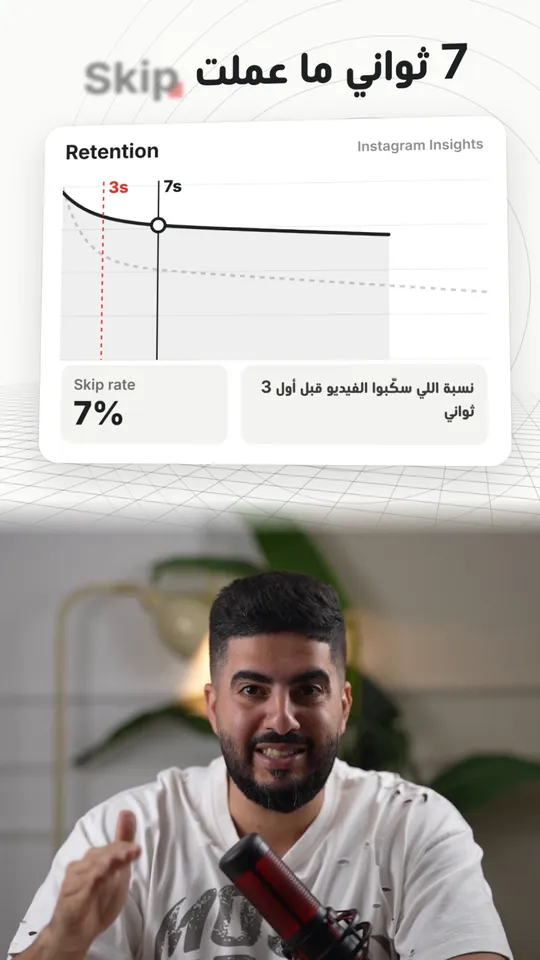
6 hook patterns from my videos
- 01The silence hookOne short line, then seconds of no talking over a strange visual and one strong sound. The brain waits to see what happens.“Focus with me…” then 7 seconds of a car heading for a wall.
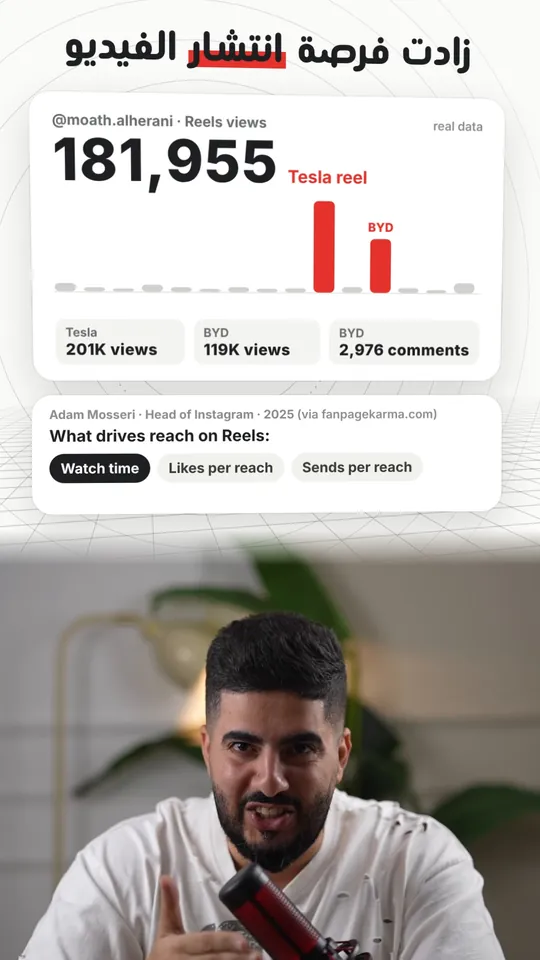
- 02Call out your audienceThe first words tell the viewer: this video is for you.“BYD owners… your car's screen can do things”Real result: 119K views and 2,976 comments
- 03Open on the shocking momentSkip the intro. Start from the strangest moment of the story, then explain.“He broke the glass in front of the whole world…”Real result: 201K views
- 04A question that hangsA short question you can only answer by watching on.“Do you know what that means?”
- 05The revealShow something, then break what they assumed about it.“The car does not exist… and neither does the wall”
- 06Promise the methodAt the end, give them a reason to comment one word: the full method lands in their DMs.“Comment ‘scene’ and I will send you the full method”

A prompt that writes 10 hooks for you
Paste it into any AI chat and change the parts in [ ].
You write hooks for Instagram Reels. Video topic: [topic]. My audience: [who watches].

Write 10 hooks, each under 3 seconds when spoken:
- 2 that call out the audience by name
- 2 that open on the strangest moment of the story
- 2 questions that only get answered if they keep watching
- 2 reveals that break an assumption
- 2 silence hooks: one short line, then a scene with no talking; suggest the scene and the sound

For each hook: the line, what shows on screen in the first second, and which sound effect lands on it.
Part 3
The sounds that gave the scene its punch
The 7 seconds were not really silent: I stopped talking, the sound did not. One strong continuous sound, a heartbeat, then each hit exactly in place. The rule: your voice stays the clearest thing, and big hits go on big moments only.
- DropOn the very first word, so second one grabs
- BraamThe moment the silent scene starts
- HeartbeatThrough the 7 seconds, one beat every 1.25 s, building tension
- BoomOnly on the big number or reveal
- SwooshOn every cut, with its peak exactly on the cut
- ShutterWhen a photo or a frame appears
- Glitch · DingGlitch for the problem, ding for the fix
Quick questions
Which tool made the scene?
Any video generator with start and end frames works. The prompts and the two images matter, not the tool's name.
Why make two images before the video?
You control the exact first and last frame, so the video stays stable and real instead of the AI inventing a new place each time.
Can I change the car or the place?
Yes. Change the car and location in the first prompt and keep the rest as they are.
Does the hook have to be silence?
No. Silence is one of 6 patterns. Pick the one that fits your story; what matters is the first 3 seconds.
Where do I get the sounds?
Download the free pack from the sound effects page: drop, boom, swoosh, shutter and more.